Tag: Kubernetes

  • The ABCs of Kubernetes: Key Terms Every IT Beginner Should Know

    The ABCs of Kubernetes: Key Terms Every IT Beginner Should Know

    An illustration of Kubernetes architecture featuring a central hexagon with the Kubernetes logo connected to several cubes, symbolizing nodes and services, alongside a 3D representation of a digital infrastructure showing components like servers and networking elements.

    For newcomers, Kubernetes can feel overwhelming with its sea of technical terms and acronyms. But mastering the basics doesn’t have to be intimidating. Think of it like learning the alphabet — once you know the key letters, the bigger picture starts to make sense.

    Here are the essential Kubernetes terms every beginner should know to start building confidence in the cloud-native world.

    A is for API Server

    The API Server is the front door to Kubernetes. It handles all requests from users, developers, and internal system components. Whether you’re deploying a new app or scaling an existing one, your commands go through the API Server.

    “Think of the API Server as the receptionist of Kubernetes. It takes your instructions and makes sure they get to the right place,” explained a cloud engineer at a managed services provider.

    B is for Pods

    Pods are the smallest deployable unit in Kubernetes. A pod usually runs one container, but it can host multiple tightly connected containers.

    When your app runs in Kubernetes, it’s actually running inside pods, which handle networking and storage automatically.

    C is for Cluster

    A Cluster is the heart of Kubernetes. It’s a collection of nodes — some are control plane nodes that manage the system, while others are worker nodes that run applications.

    This setup gives Kubernetes its scalability. Whether you’re running on three servers or three thousand, it still functions as one cluster.

    D is for Deployment

    A Deployment tells Kubernetes how many copies of your application should run and manages updates automatically.

    For example, if you want three replicas of your web app, Kubernetes ensures they’re always running — and if one goes down, it spins up another.

    E is for etcd

    Behind the scenes, Kubernetes uses etcd, a distributed key-value store, to remember the state of the cluster. It’s like the system’s memory.

    Without etcd, Kubernetes wouldn’t know what apps are running or what resources they’re using.

    F is for Failover

    Failover is Kubernetes’ self-healing ability. If a node crashes, workloads automatically shift to healthy nodes. This ensures your applications stay online, even in the face of hardware or software failures.

    G is for Gateway

    In Kubernetes, a Gateway manages incoming and outgoing network traffic. It decides how users or external systems connect to services running inside the cluster.

    Why Learning the Basics Matters

    Understanding these core terms makes Kubernetes far less intimidating. With just a handful of building blocks — pods, clusters, deployments, and the API server — you can start to piece together how the system works.

    “Every big journey starts with small steps. Once you’re comfortable with the Kubernetes alphabet, you’ll be ready to dive into more advanced features like scaling, monitoring, and security,” said a DevOps trainer at a major cloud provider.

    Final Takeaway

    Kubernetes may seem complex, but learning the ABCs helps demystify it. With these foundational terms in mind, beginners can confidently take their first steps toward mastering the most powerful container orchestration system in the world.

  • Why Kubernetes Beats Traditional Infrastructure for Modern Apps

    Why Kubernetes Beats Traditional Infrastructure for Modern Apps

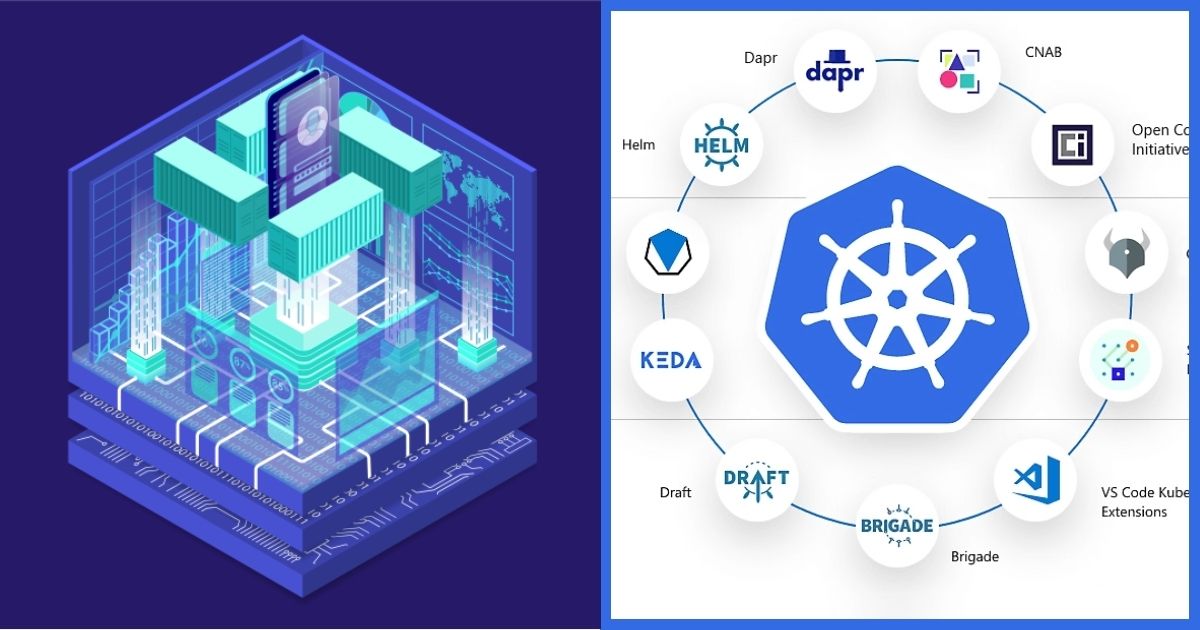
    An illustrated diagram showcasing Kubernetes architecture and its ecosystem. The graphic features a hexagonal shape with a central Kubernetes logo, surrounded by icons representing various tools and frameworks such as Dapr, Helm, and Draft, against a high-tech background.

    As businesses race to deliver faster, smarter, and more resilient digital services, traditional IT infrastructure is struggling to keep up. Servers that once hosted single applications are now giving way to cloud-native environments built on containers and orchestrated by Kubernetes.

    But what makes Kubernetes such a game-changer compared to old-school infrastructure? Let’s break it down.

    Traditional Infrastructure: Built for a Different Era

    In the past, applications were deployed on monolithic servers—one app per machine. If the business grew, IT teams had to manually buy, configure, and maintain more servers.

    This approach had major drawbacks:

    • Inefficiency: Large amounts of unused computing power sat idle.
    • Downtime risks: If a server failed, the application went down.
    • Slow scaling: Adding new capacity often took days or weeks.

    “Traditional infrastructure was designed for stability, not agility. It worked when applications were static, but today’s apps need to move faster,” said a senior architect at a global IT consultancy.

    Enter Kubernetes: Orchestration for the Cloud Era

    Kubernetes changes the game by shifting from server-centric to container-centric architecture. Instead of dedicating one machine to one app, containers can share resources across multiple nodes.

    Kubernetes provides:

    • Automated scaling: Apps can instantly scale up or down based on demand.
    • Self-healing: If a pod crashes, Kubernetes automatically replaces it.
    • Portability: Apps can run consistently across on-premises servers, public clouds, or hybrid environments.

    This orchestration turns infrastructure into a dynamic resource pool rather than a rigid collection of servers.

    Efficiency and Cost Savings

    One of the biggest advantages of Kubernetes is resource efficiency.

    In traditional setups, IT teams often had to overprovision servers to prepare for peak demand. With Kubernetes, workloads can scale elastically—no more paying for unused capacity.

    “Companies adopting Kubernetes often see infrastructure costs drop by 20–30% because they’re finally using resources more intelligently,” noted a cloud economics analyst.

    Resilience by Design

    Kubernetes also offers resilience that traditional setups can’t match.

    In old infrastructures, a hardware failure could trigger hours of downtime. In Kubernetes, workloads simply move to healthy nodes, keeping services online.

    This high availability is especially critical for industries like finance, healthcare, and e-commerce, where every minute of downtime has a cost.

    Agility for Modern Development

    Kubernetes is tightly aligned with DevOps and CI/CD pipelines, allowing developers to ship updates faster.

    Instead of waiting weeks for IT teams to provision servers, developers can push code updates that Kubernetes deploys automatically, often without downtime.

    “Kubernetes bridges the gap between developers and operations. It lets businesses experiment, iterate, and innovate without being blocked by infrastructure,” said a DevOps lead at a fintech startup.

    The Future Is Cloud-Native

    The shift from traditional infrastructure to Kubernetes isn’t just a tech upgrade—it’s a business transformation. Organizations can move faster, serve customers better, and stay competitive in a digital-first world.

    Final Takeaway

    Kubernetes beats traditional infrastructure by offering efficiency, resilience, scalability, and agility.

    What once took weeks of manual IT work can now happen automatically and instantly. For modern apps that demand constant updates and 24/7 availability, Kubernetes isn’t just an option—it’s the foundation.

  • From Containers to Control Planes: A Beginner’s Guide to Kubernetes Architecture

    From Containers to Control Planes: A Beginner’s Guide to Kubernetes Architecture

    A person wearing glasses sitting at a computer, focused on a programming task, with a digitally illustrated Kubernetes architecture graphic visible on the side.

    If you’re just starting with Kubernetes, one of the biggest hurdles is making sense of its architecture. Terms like containers, pods, nodes, and control planes might sound intimidating, but together they form a structure designed for resilience, scalability, and automation.

    Let’s break it down into clear, beginner-friendly pieces.

    Containers: The Building Blocks

    At the heart of Kubernetes are containers. These are lightweight packages that hold everything an application needs to run—code, libraries, and dependencies.

    “Think of a container as a shipping box for software. No matter where you send it—to the cloud, to a server, or to your laptop—it works the same way,” said a systems engineer at a cloud services firm.

    Containers solve the old problem of “it works on my machine but not yours,” making software portable and predictable.

    Pods: Wrappers Around Containers

    Kubernetes doesn’t manage containers directly—it manages pods. A pod is the smallest deployable unit and can contain one or more containers that work together.

    For example:

    • A web app container can run side-by-side with a logging container inside the same pod.
    • Pods share storage and network, allowing containers inside them to communicate seamlessly.

    Pods are disposable—if one fails, Kubernetes can replace it automatically, ensuring your application keeps running.

    Nodes: The Workhorses

    Pods live on nodes, which are the machines (virtual or physical) in a Kubernetes cluster.

    • Worker nodes run the pods.
    • Control plane nodes (also called master nodes) handle orchestration—deciding where pods should go and monitoring cluster health.

    Nodes bring the computing power; Kubernetes just decides how best to use it.

    The Control Plane: The Brain of Kubernetes

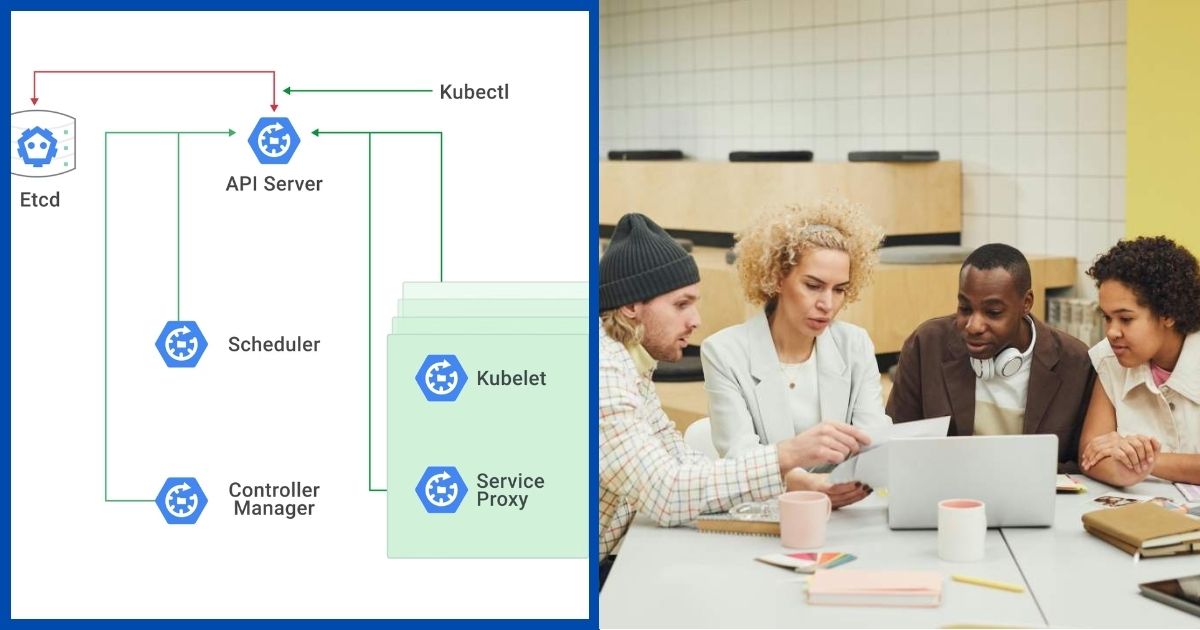
    The control plane is where Kubernetes intelligence lives. It consists of several components that work together:

    • API Server: The front door for commands and automation.
    • Scheduler: Decides which node should run each pod.
    • Controller Manager: Keeps the cluster state aligned with what you’ve defined (for example, making sure three pods always exist).
    • etcd: A distributed database that stores cluster state and configuration.

    “The control plane is like an air traffic control system. It doesn’t fly the planes, but it decides where each one goes and ensures they don’t crash into each other,” explained a DevOps consultant.

    How It All Fits Together

    Here’s the flow in simple terms:

    1. You define how your app should run (for example: 5 pods for a web service).
    2. The control plane processes this request and assigns pods to the right nodes.
    3. Containers inside those pods start running.
    4. If something breaks, Kubernetes reschedules pods to keep the app available.

    This constant cycle of scheduling, monitoring, and healing is what makes Kubernetes powerful.

    Why Beginners Should Care

    Even if you’re not managing clusters daily, understanding this architecture is crucial because it highlights:

    • Resilience: Applications survive failures.
    • Scalability: Demand spikes can be handled automatically.
    • Automation: Less manual work, more consistent results.

    Final Takeaway

    Kubernetes architecture might sound complex, but it’s built on a simple idea: containers run inside pods, pods run on nodes, and the control plane keeps everything orchestrated.

    Once you see the flow from containers to control planes, Kubernetes transforms from a buzzword into a system you can actually understand.

  • Breaking Down the Kubernetes Cluster: Pods, Nodes, and How They Work Together

    Breaking Down the Kubernetes Cluster: Pods, Nodes, and How They Work Together

    A diagram illustrating the components of a Kubernetes cluster, including Etcd, API Server, Scheduler, Kubelet, Controller Manager, and Service Proxy, alongside a group of diverse individuals collaborating around a laptop.

    For anyone new to Kubernetes, the hardest part is often wrapping your head around the moving pieces inside a cluster. Terms like pods and nodes can feel overwhelming at first, but once you understand how they fit together, Kubernetes starts to make a lot more sense.

    Let’s break it down step by step.

    What Is a Kubernetes Cluster?

    A cluster is simply a group of machines—physical servers, virtual machines, or cloud instances—that Kubernetes uses to run applications. Instead of treating each machine separately, Kubernetes combines them into a single pool of resources.

    “A Kubernetes cluster is like a digital factory. Each machine has a role, and Kubernetes acts as the manager, making sure everything runs smoothly,” explained a cloud infrastructure architect.

    The Role of Nodes

    Inside a cluster, the workhorses are called nodes.

    • Worker nodes handle the actual running of applications.
    • Master nodes (also called control planes) handle decision-making, such as scheduling workloads, monitoring performance, and responding to failures.

    Think of worker nodes as employees on the factory floor, while the master node is the supervisor who assigns tasks and makes sure production never stops.

    What Are Pods?

    A pod is the smallest deployable unit in Kubernetes. It’s essentially a wrapper around one or more containers that share the same network and storage.

    Here’s why pods matter:

    • They allow containers to work together. For example, one container might handle an app’s user interface while another manages the backend data.
    • They’re disposable. If a pod fails, Kubernetes can replace it automatically with a new one.

    In simple terms, pods are like individual workstations inside the factory. Each has a specific role, but together they keep the entire operation running.

    How They Work Together

    Here’s how the pieces connect:

    1. You (the developer or operator) tell Kubernetes what you want the application to do.
    2. The master node figures out where in the cluster the workload should run.
    3. Worker nodes spin up pods that contain the containers running your application.
    4. If something goes wrong, Kubernetes automatically replaces or reschedules pods on other nodes.

    “The brilliance of Kubernetes is how these parts—pods, nodes, and the control plane—work in harmony to provide a system that heals itself,” said a DevOps manager at a SaaS company.

    Why This Matters

    Understanding pods and nodes is more than just technical jargon. It’s the foundation for:

    • Resilience: Applications stay online even if part of the system fails.
    • Scalability: More pods can be deployed instantly when demand spikes.
    • Efficiency: Resources are shared across nodes to prevent waste.

    Final Takeaway

    A Kubernetes cluster might sound complicated, but it really comes down to this: nodes provide the muscle, pods do the work, and the control plane keeps everything in sync.

    Mastering these basics is the first step toward understanding how Kubernetes makes modern applications more reliable, scalable, and efficient.

  • Kubernetes 101: What It Is and Why Every Business Is Talking About It

    Kubernetes 101: What It Is and Why Every Business Is Talking About It

    A team of three professionals collaborating on a project in a modern office setting with a tablet and notebooks on the table.

    Kubernetes has become one of the most talked-about tools in technology today, but for many outside the DevOps world, it can sound like just another buzzword. In reality, Kubernetes is transforming how businesses deploy, manage, and scale applications.

    This beginner’s guide breaks down the essentials of Kubernetes—what it is, why it matters, and how it’s shaping the future of IT.

    What Is Kubernetes?

    At its core, Kubernetes—often shortened to “K8s”—is an open-source platform designed to manage containerized applications. Containers are lightweight packages of software that include everything needed to run an application: code, libraries, and settings.

    Think of Kubernetes as a traffic controller for containers. Instead of having developers manually deploy, monitor, and adjust these containers, Kubernetes automates the process.

    The Power of Automation

    The reason businesses are flocking to Kubernetes is simple: automation saves time, money, and reduces risk.

    • Scaling on demand: Kubernetes can automatically add or remove containers depending on traffic. If a retail site experiences a surge in shoppers during a sale, Kubernetes scales up instantly.
    • Self-healing systems: If a container crashes, Kubernetes replaces it without human intervention.
    • Efficient resource use: Kubernetes distributes workloads across servers to maximize performance and minimize waste.

    “Kubernetes gives us the ability to manage thousands of containers with the same effort it once took to manage dozens,” said a senior cloud engineer at a global e-commerce company.

    Why Businesses Care

    According to recent industry reports, over 70% of enterprises now run some workloads on Kubernetes, and the adoption rate is still climbing. Organizations are turning to Kubernetes for:

    • Flexibility: It works across private data centers, public cloud providers, or hybrid setups.
    • Cost efficiency: Smarter use of infrastructure often leads to lower bills.
    • Faster innovation: Developers can focus on building new features instead of worrying about deployment headaches.

    Real-World Examples

    • Financial services firms use Kubernetes to handle millions of secure transactions daily.
    • Media streaming companies use it to ensure videos run smoothly, even during peak hours.
    • Healthcare providers deploy it for applications that need to stay online 24/7.

    Final Takeaway

    Kubernetes might sound complex at first, but its promise is straightforward: simplify the hard work of running modern applications at scale.

    As one IT director put it: “Adopting Kubernetes is like upgrading from manual driving to autopilot. You’re still in control, but the heavy lifting is done for you.”

    For businesses looking to stay competitive in 2025 and beyond, Kubernetes isn’t just a trend—it’s becoming the foundation of modern IT.

  • Delisted observability solutions provider brings massive upgrade to platform

    Delisted observability solutions provider brings massive upgrade to platform

    New Relic, a leading provider of observability solutions, has announced a significant advancement in its platform by introducing native support for OpenTelemetry and Prometheus-instrumented hosts and Kubernetes clusters.

    This groundbreaking launch was unveiled at KubeCon + CloudNativeCon Europe 2024, marking a pivotal moment for organizations seeking streamlined observability solutions for their applications and infrastructure.

    The integration of OpenTelemetry and Prometheus into New Relic’s observability platform signifies a strategic move towards simplifying the instrumentation process for engineers.

    By enabling users to instrument Kubernetes clusters and hosts effortlessly using the OpenTelemetry collector and Prometheus Node Exporter in a single step, New Relic aims to enhance operational efficiency and provide instant access to curated user interfaces that facilitate performance correlation across applications and infrastructure.

    Open source instrumentation frameworks like OpenTelemetry and Prometheus have gained widespread adoption due to their standardized, vendor-agnostic nature, community support, and cost-effectiveness.

    However, configuring these tools to work seamlessly with commercial observability platforms often poses challenges that demand significant time and expertise from engineering teams.

    Tasks such as telemetry collection, correlation tagging, dashboard creation, and performance threshold setting can be complex and time-consuming, leading to delays in incident response and troubleshooting efforts.

    Manav Khurana, Chief Product Officer at New Relic, emphasized the importance of meeting developers where they are by offering native support for OpenTelemetry within the platform. This strategic decision reflects New Relic’s commitment to simplifying observability for engineers, enabling them to focus on core tasks such as code development and innovation while minimizing the complexities associated with instrumentation and troubleshooting.

    Customer feedback has been overwhelmingly positive regarding New Relic’s deep integration with OpenTelemetry. Carly Christensen, CTO of ZeroFlucs, highlighted New Relic’s native support for OpenTelemetry as a key differentiator that sets the platform apart from competitors.

    The seamless integration of OpenTelemetry and Prometheus-instrumented hosts and Kubernetes clusters, coupled with New Relic’s consumption-based pricing model, positions the platform as a preferred choice for organizations seeking a comprehensive observability solution.

    The latest enhancements introduced by New Relic include one-step instrumentation for Kubernetes clusters and hosts using the OpenTelemetry collector and Prometheus Node Exporter.

    Additionally, users gain access to pre-configured dashboards and standardized golden metrics through native user interfaces, facilitating quick detection and isolation of performance issues across applications and infrastructure layers.

    Key capabilities of the enhanced observability platform include automated relationship mapping between application and infrastructure components, topology maps rendering to visualize performance impacts across layers, faster debugging through automatic correlation with logs, and seamless integration of application and infrastructure telemetry data for comprehensive insights.

    Customers can expect these new features supporting OpenTelemetry and Prometheus-instrumented hosts and Kubernetes clusters to be available in the coming months.

    To explore these capabilities further or get started with New Relic’s enhanced observability platform, interested parties are encouraged to contact their New Relic account representative or sign up for a free account.

    For additional information on OpenTelemetry and Kubernetes integration with New Relic’s platform, visit the respective web pages dedicated to these features.